
z-Book Guide for Publishers and Authors
What is a z-Book and how is one made? Three technical criteria for a Pardus-compatible, online and offline z-Book, cost factors and a supplier checklist.
A z-Book that will not open in the classroom is a book that will not sell. Offering a z-Book alongside your printed catalogue is now an expected step, but taking that step is harder than it looks. Three obstacles stand in the way: legacy .exe-based z-Books do not open on boards running Pardus ETAP, online-only solutions lock up the lesson when the connection drops, and producing separately for every platform multiplies the cost of re-typesetting.
What is in this guide? A clear definition of the z-Book, three technical criteria framed as the "classroom opening test", the factors that drive cost, and a five-point checklist to keep at hand when choosing a supplier.
What Is a z-Book (Enriched Book)?
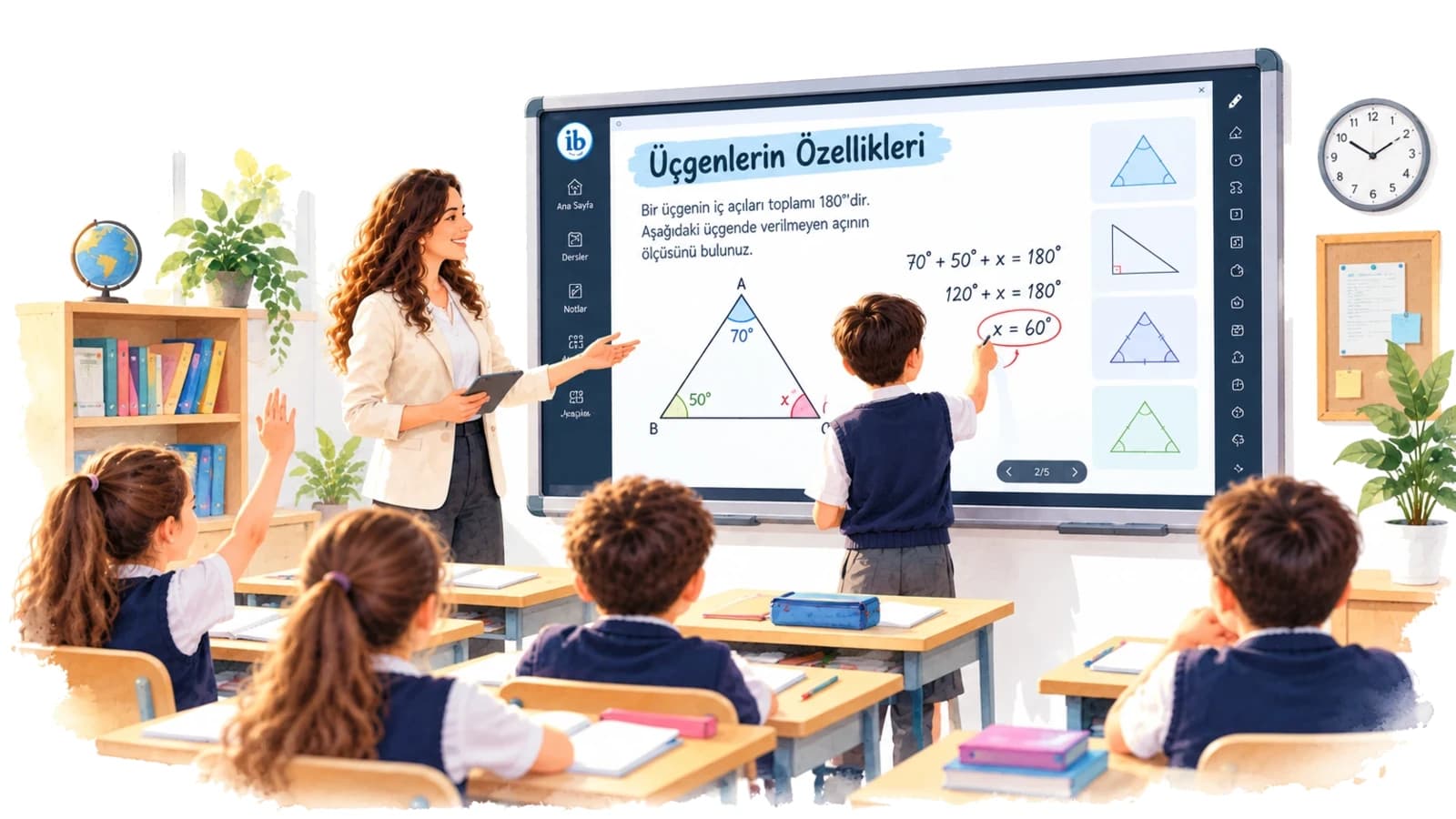
A z-Book is the digital form of a printed textbook, question bank or unit booklet, enriched with video, audio and animation, images, links and interactive activities without the written text itself being touched. Within the framework of the Turkish Ministry of National Education, the format is defined for textbooks and educational publications approved by the Board of Education, and it can be prepared to work online or offline.
So what is a z-Book in practice? The answer lies in four core characteristics:
- Smart board compatibility: the interface is designed to be used by touch on the interactive board in the classroom.
- Multimedia content: video, audio, images and animation are placed directly on the relevant page.
- Offline working: versions that open without an internet connection can be prepared.
- Multi-operating-system support: it can be used on Windows, macOS, Pardus and mobile devices.
For anyone who wants to see the difference, EBA is a good starting point. If an enriched version of a book exists on the Education Information Network (EBA), users can reach both the enriched book format and the standard PDF. You can open the two formats side by side and see the difference for yourself.
What Is the Difference Between a z-Book, an e-Book and a PDF?
All three formats can be read on screen; there is no difference there. The real distinction appears in how much room for interaction the content opens up for the teacher and the student in class:
- Interactive activity and quiz: absent in a PDF, limited depending on the format in an e-book, present in a z-Book.
- Embedded video and audio: absent in a PDF, limited depending on the format in an e-book, present in a z-Book.
- Interface optimised for smart boards: absent in a PDF and an e-book, present in a z-Book.
- Assessment: absent in a PDF, limited in an e-book, present in a z-Book.
- Offline use: available in a PDF and an e-book, and in a z-Book through its offline version.
What the list says is simple: a PDF is only read. A z-Book is used as a teaching tool where the activity opens, the question is asked and the student takes part in the lesson.
Why Is a z-Book Now a Standard for Publishers and Authors?
Why should publishers get into this? The first reason is teacher demand. In a study by İlgün, Coştu and Köse (2024) with 20 primary school mathematics teachers, teachers found the z-Book effective in terms of ease of use, covering learning outcomes, assessment and classroom management. Schools and teachers increasingly see an interactive book version alongside the printed book as an expected addition.
There is another side to the coin. Not every digital teaching material carries the same value; some z-Books turn into a non-interactive projection tool, offering no quiz and no assessment. One concrete way to measure quality is to look at the interaction ratio. In a review of the A1 level z-Book of the Yedi İklim Turkish teaching set, 155 of 201 writing activities (77%) were designed as interactive activities.
The same logic applies to the author creating an interactive book, and to the teacher-author digitising their own material.
But the crucial point lies elsewhere: even the richest content is worthless if it does not open in the classroom.
The Classroom Opening Test: 3 Technical Criteria for the Right z-Book
The value of a z-Book is measured not by the number of videos it contains, but by its ability to open in every classroom, on every device and under every condition. The classroom opening test you apply when choosing a digital book for an interactive board consists of three technical questions to put to the supplier.
Does a z-Book Work on a Smart Board Running Pardus?
A z-Book works without trouble if it has been developed natively for Pardus. Legacy .exe-based z-Books written for Windows either do not open at all on Pardus ETAP, or run slowly and unreliably through the Wine emulator.
This is not a small technical detail to be waved away. MEB YEĞİTEK and TÜBİTAK ULAKBİM are running an official cooperation to spread Pardus on the interactive boards that entered classrooms with the FATİH project. According to Pardus data from 2022, Pardus ETAP is installed on more than 102,000 boards, and the protocol targets 650,000. ULAKBİM Director Mehmet Mirat Satoğlu says the move will set an example for the world once it reaches 650 thousand interactive boards.
So Pardus compatibility is an indispensable precondition for entering the smart board z-Book market.
Question to ask the supplier: "Does your product open on Pardus ETAP without an emulator?"
Can a z-Book Be Used Without the Internet (Offline)?
A z-Book with a hybrid architecture can be used without the internet. The logic works like this: an online z-Book distributes updates instantly and gives the teacher access from anywhere; an offline z-Book, through desktop installation or USB distribution, saves the lesson at the moment of an outage.
A situation often met in practice is the connection dropping in the middle of a lesson. A solution that works online only stops the flow of the lesson at that moment. The same study that showed teacher demand (İlgün et al., 2024) also finds that teachers experienced problems caused by internet and electricity outages. For that reason, offering online and offline working together is not a preference but a necessity.
Question to ask the supplier: "Can the same book be offered both online and offline?"
Does a z-Book Open on Mac, Windows and Mobile? All Platforms from a Single PDF
The scenario commonly seen in the field is this: the teacher gives the lesson on the Pardus board in the classroom and prepares at home on a Windows or Mac computer. The student wants to reach the same content from an iOS or Android device. If separate production and re-typesetting are carried out for each platform, the budget grows exponentially.
In the modern approach the work is done once. The existing PDF is enriched once on cloud-based infrastructure without going back to typesetting, and is then released to every platform with Windows, macOS and Linux compatibility. indiviBook is one example of this PDF-to-digital-book conversion model.
Question to ask the supplier: "From the PDF I already have, how many platforms can I reach with a single production and no re-typesetting?"
How the three criteria are met by legacy and cloud-based approaches:
- Opening on a Pardus ETAP board: a legacy .exe/CD z-Book does not open or requires an emulator; a cloud-based hybrid z-Book opens natively.
- Use during an internet outage: with the legacy format it depends on the distribution method; the hybrid continues uninterrupted with its offline version.
- Platform coverage: the legacy format mostly runs on Windows only; the hybrid covers Windows, macOS, Pardus/Linux and mobile.
- Updates: the legacy format requires a new file or disc to be distributed; the hybrid updates the online version centrally.
- Production process: the legacy format means separate production per platform; the hybrid means a single production from a single PDF.
How Is a z-Book Prepared? From PDF to Interactive Book, Step by Step
Once the criteria are clear, production comes next. How do you make a z-Book? The short answer: with a five-step process that starts from the PDF you already have.
- Prepare the source file. The print-ready PDF of the textbook, question bank, unit booklet or supplementary resource is enough.
- Upload the PDF. Transfer the file to z-Book preparation software or to a cloud platform.
- Enrich the pages. Add video, audio, images and activities to the relevant pages.
- Decide on distribution. Choose the options that suit you from online, offline desktop and USB.
- Test and publish. Try the book on a Pardus board, on a Windows/Mac computer and on mobile, then take it live.
Whether you are converting a PDF book into a z-Book or converting a question bank into a z-Book, the process follows the same flow; the source type changes but the steps do not. Cloud platforms such as indiviBook go a step further and can also produce infographics, H5P content, quizzes, podcasts and summary text with AI-assisted content generation.
How Are Audio, Images and Video Added to a z-Book?
Adding video and audio to a z-Book is a three-step job:
- Select the area on the page where the media will appear.
- Choose the media type: audio, image, video or link.
- Upload the file and set the position of the icon on the page.
Practical tip: embed the videos in the package in the offline version. If you use links in the online version, the package stays light.
How Is an Activity Added to a z-Book?
If you have learned how to add media you are halfway there, because adding an activity to a z-Book follows the same logic. First select the activity area on the page, then choose the type: multiple-choice quiz, matching, fill in the blanks or H5P interactive content. Finally, enter the questions and the correct answers.
Why does this step matter so much? Teachers choose the z-Book for the practicality of assessment, which makes the activity layer the most valuable part of the product. The activity also solves the non-interactive use problem mentioned earlier. It turns the z-Book from a page projected onto the board into a learning tool the student takes part in.
The Cost of Preparing a z-Book: 4 Factors That Set the Price
Once the production steps are clear, the next question in the decision process is the budget. To be straightforward: z-Book prices are not tied to a fixed tariff; z-Book solutions for publishers are usually priced with a project-specific corporate quotation. Rather than chasing a single figure, it is far more useful to know the four factors that set the cost of preparing a z-Book:
- Page count and number of books: the total volume of pages to be converted directly determines the workload. There is a serious difference in scale between a single book and a whole series.
- Interaction density: the more video, audio, activities and AI-assisted content added per page, the longer preparation and testing take.
- Number of target platforms and packaging: separate versions for Pardus, Windows, macOS and mobile, and online and offline packages, can each require extra work.
- The need for re-typesetting: in the projects we have observed, typesetting the book from scratch is the item that affects the budget most. As covered in the third technical criterion, cloud-based publishing infrastructures that enrich the existing PDF without touching the typesetting remove this item entirely.
When you take a quotation, be sure to ask: "Are all platforms included in the price with a single production?" Every platform left out of the package comes back later as a second production invoice.
A 5-Point Checklist for Choosing a z-Book Supplier
When the classroom opening test and the cost factors come together, these five points emerge, and you can tick them off one by one in supplier meetings:
- Platform compatibility: does it open on Windows, macOS, Pardus (native), iOS, Android and the web?
- Hybrid working: can the same book be used both online and offline over USB or the desktop?
- Conversion without typesetting: does the existing PDF become a z-Book without being re-typeset?
- Interaction types: are video, audio, H5P, quizzes and AI-assisted content supported?
- Distribution and updates: how is the book distributed, and how do updates reach the school?
One of the digital publishing solutions that meets this list is the indiviBook z-Book infrastructure. According to indiviBook, the platform runs natively on Pardus without requiring Wine and can be used both online and offline. It converts PDFs on cloud-based infrastructure without re-typesetting, and also produces content with AI support. The company states that it has reached more than 100,000 teachers and over 10,000 schools. Compatible with Windows, Mac and Pardus, this z-Book software stands out as one of the leading solutions for the online z-Book approach in education technology. You can request a sample page conversion for your own book.
So the right z-Book is measured as much by the guarantee that it will open in the classroom as by the richness of its content. Get clear answers to three questions from your supplier: does it open on a Pardus board without an emulator, does it work offline when the internet goes down, and can it reach every platform from a single PDF? Request a demo and a quotation to start converting your catalogue before the new academic year arrives.
A z-Book experience that works in class
Enrich your content with video, audio, interaction and AI, then publish it on Windows, Pardus, iOS and Android from a single setup.