
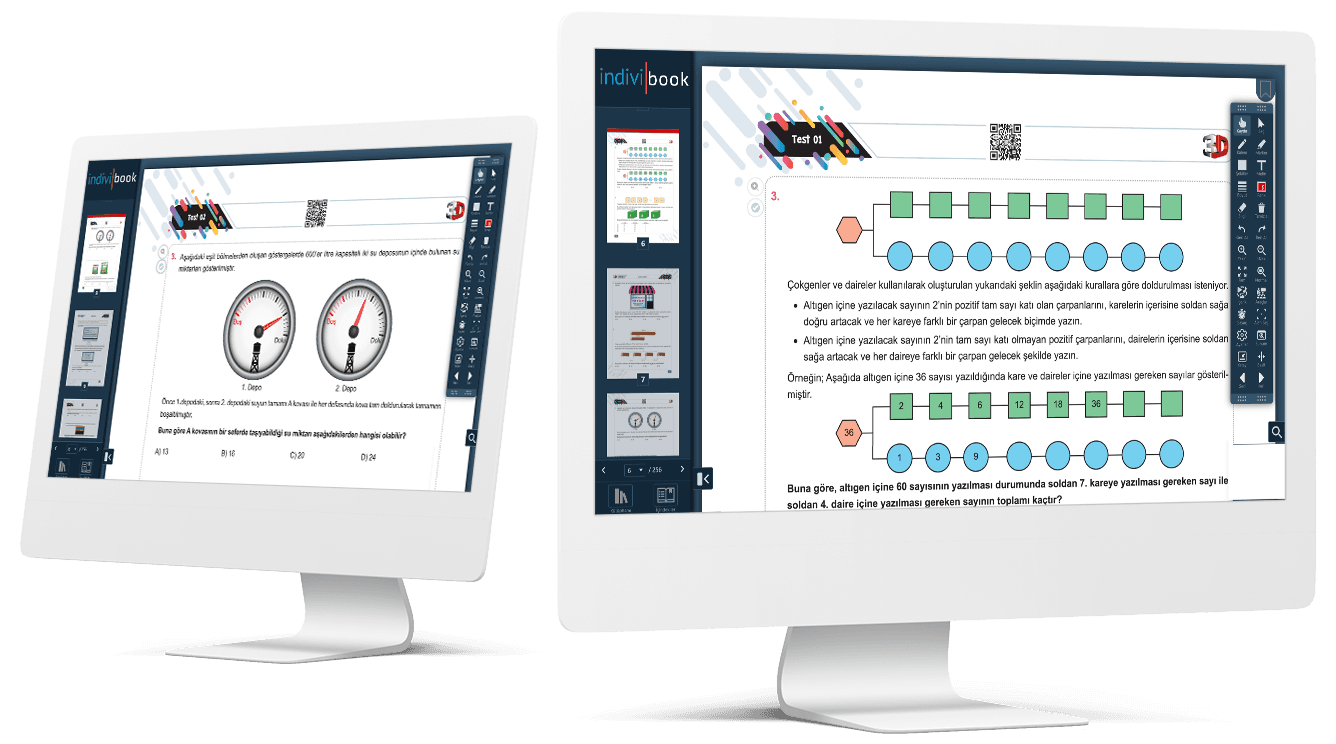
indiviBook Features and Uses
indiviBook z-Books are rich in features, from the toolbox and library to external files. They are designed to support teachers and students without making learning dull.
indiviBook z-Books are very rich in their features. With the toolbox, library, added external files and many other features, they aim to contribute to the learning processes of both teachers and students. The aim is to do this in the most enjoyable way, without making it dull.
A large number of tools such as pens, markers, visuals, videos, links and notes are included in the indiviBook z-Book. You do not need an external link for these, and you can also add any external link you wish to the book. Activities and audio files can be added as well.
During an activity or quiz in class, a timer can be used, or you can use the page in presentation mode. Thanks to zoom in and zoom out, you can improve viewing quality and help topics be understood more clearly.
The toolbar can be used horizontally and vertically, and different themes are available. In addition to light and dark themes, purple, green and blue themes can also be chosen. indiviBook is also not limited to a single language option; it supports Turkish, English, French, Arabic and Japanese.
Personal learning content can be created using a blank page and presentation mode. The contents section has five parts: Contents, Activities, Bookmarks, My Notes and My Drawings. All activities added to the book can be viewed together in the “Activities” section, bookmarks in the “Bookmarks” section, and written notes and drawings in the “My Notes and My Drawings” section.
Thanks to the search area, images, vectors, Wikipedia, Merriam, Wiktionary, Wordweb, PBS Learning, Google and Google Images can be reached with ease. From the “Select area” section you can easily select a part you wish, enlarge it and draw on it.
In the help section, basic information about using indiviBook can be reached. Short explanations of how to use the features, keyboard shortcuts and newly arrived features are found here. Through the “You Can Get in Touch with Us” option in the same section, a request, suggestion, complaint or a different message can be sent.
While using all of these features, you can freely use a variety of content rather than limited options. This covers a wide area, from colour and pen-size options in the drawing tools, to broad language support and the customisation of buttons in multimedia files.
These are only some of the indiviBook features. indiviBook is a platform that always uses new technologies. Thanks to its continuously renewed software, it always updates itself and increases its features. With the innovative tools and advanced features it offers, indiviBook continues to be a pioneer of digital transformation in education.
You can also reach videos about using the indiviBook z-Book product from our YouTube channel, and be the first to hear new news by following our Instagram account!
A z-Book experience that works in class
Enrich your content with video, audio, interaction and AI, then publish it on Windows, Pardus, iOS and Android from a single setup.