
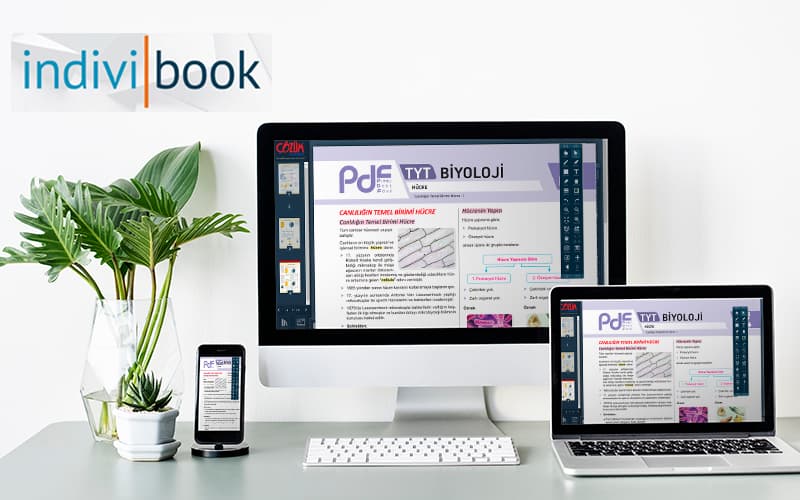
indiviBook z-Book
As digital solutions replace traditional teaching, z-Books meet the needs of students and teachers. Discover what a z-Book is and how to use one with indiviBook.
The z-Book with indiviBook
As digital solutions increasingly take the place of traditional teaching methods, technologies that respond to the needs of students and teachers are coming to the fore. One of the most effective tools in this shift is the z-Book. So what is a z-Book? Why should it be preferred? And most importantly, what does a platform such as indiviBook bring to this field?
What Is a z-Book? The New Form of the Digital Book
A z-Book, or enriched book, is not merely the digital version of a printed textbook. It is also:
- Interactive videos
- Audio explanations
- AI-powered content suggestions
- Tests, exercises and worked solutions
- Learning analytics and progress reports
an advanced educational tool that includes components such as these, so students learn by interacting rather than by reading alone.
How Do You Download a z-Book with indiviBook?
Step-by-Step Guide
- Sign In to indiviBook
Sign in with your individual or school account from the website or the mobile app.
- Go to the Library Tab
You can reach the course materials assigned to you, or openly available resources, from here.
- Select z-Books
If you see the words “z-Book” next to your textbook, that content is the enriched edition.
- Download or Add to Your Library
You can download the book to your device and keep it for offline use.
- Open the Book and Start Learning Interactively!
Why indiviBook? Reasons to Choose It
1. AI-Supported Learning
The standout feature of indiviBook is that it does more than present content: it also offers many student-friendly activities, such as solving a chosen question with AI, generating a similar question, creating an H5P activity, and requesting an explanation of that topic.
2. Interactive and Lasting Learning
Beyond reading text, videos, audio files, simulations and tests make learning multi-sided. That helps knowledge stay in the mind for longer.
3. Access from Anywhere & Offline Use
With indiviBook you can also open downloaded z-Books without an internet connection. That is a particular advantage in areas where internet access is limited.
4. Tracking and Feedback for Teachers
Teachers can see at once which topics students are struggling with, suggest extra content, or support them with interactive activities.
5. MEB-Compatible Content
indiviBook works in full alignment with the books published by the Ministry of National Education (MEB). In this way it offers a technological learning experience without drifting away from the course content.
Benefits for Students
- Even if they miss a lesson, they can learn the topic on their own thanks to the z-Book.
- They can track their learning and see their progress.
- They can get support at once on topics they do not understand.
- They can reach extra content to consolidate topics.
Advantages for Teachers
- The ability to monitor a student’s progress in real time
- Seeing which student is struggling with which topic through retrospective analysis
- Options for assigning homework and exercises
- Tools that save time in classroom management
Try It Now: Downloading a z-Book Is Very Easy!
Downloading a z-Book through indiviBook is both easy and instructive. Get in touch with us to meet secure, official and interactive content suited to the needs of the digital age.
Z-Books are one of the biggest steps in the digitisation of education. indiviBook stands out as a user-friendly, teaching-supported platform at the centre of this transformation.
If you too want to make the learning process more effective, enjoyable and lasting, be sure to experience the z-Book with indiviBook!
A z-Book experience that works in class
Enrich your content with video, audio, interaction and AI, then publish it on Windows, Pardus, iOS and Android from a single setup.